
BMDC Registration Check: How to Verify a Doctor's Registration Online
Every doctor legally practicing in Bangladesh must be registered with the Bangladesh Medical and Dental Council (BMDC). This guide walks through how to check a doctor’s BMDC registration yourself, directly on the official BMDC website.
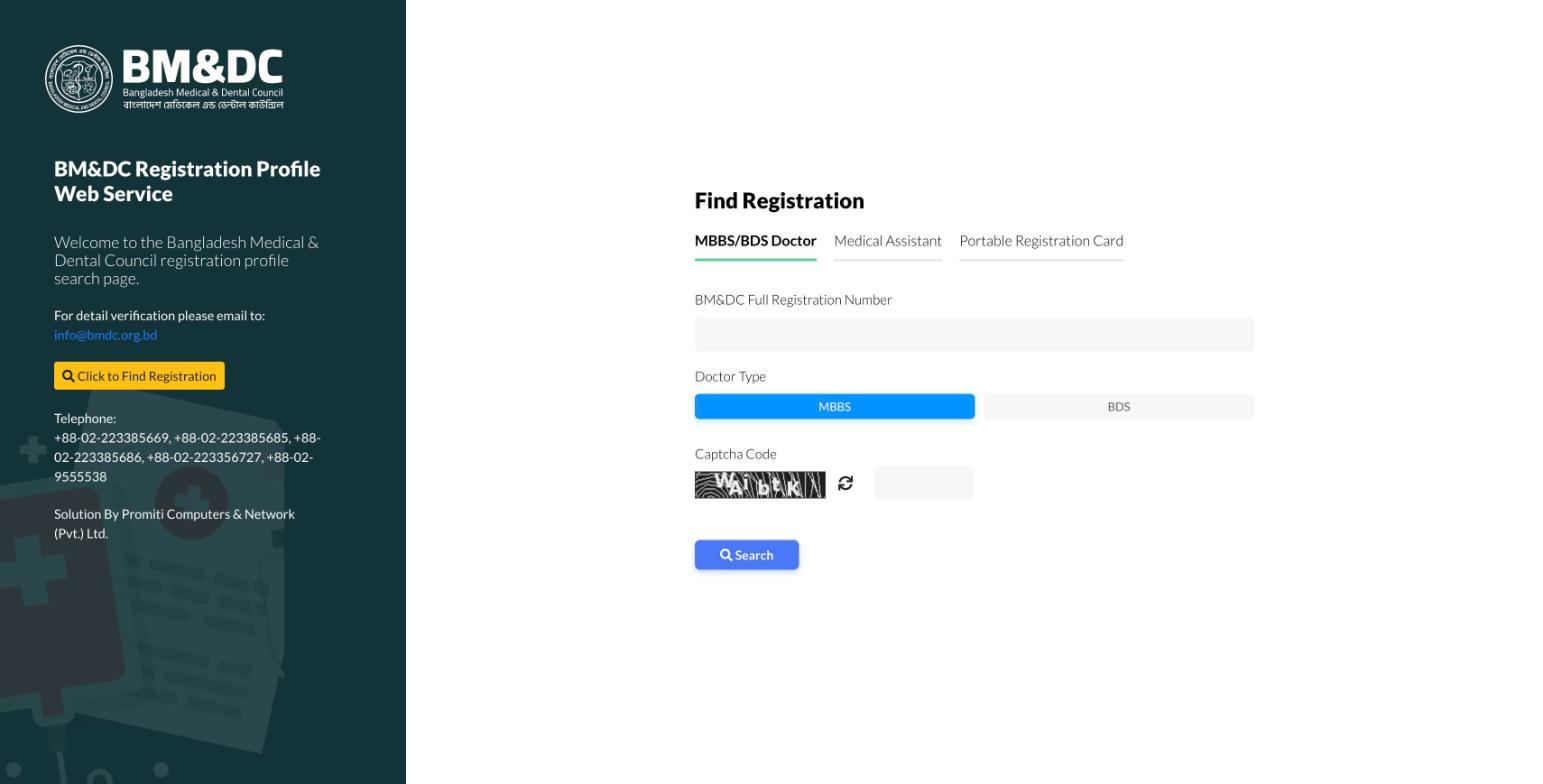
Step-by-step registration check
- 1Go to the official BM&DC registration verification service at verify.bmdc.org.bd.
- 2Select the "MBBS/BDS Doctor" tab.
- 3Enter the doctor's full BM&DC registration number and select their doctor type (MBBS or BDS).
- 4Enter the captcha code shown on the page, then click Search.
- 5Review the record that comes back and compare it against the doctor you’re checking.
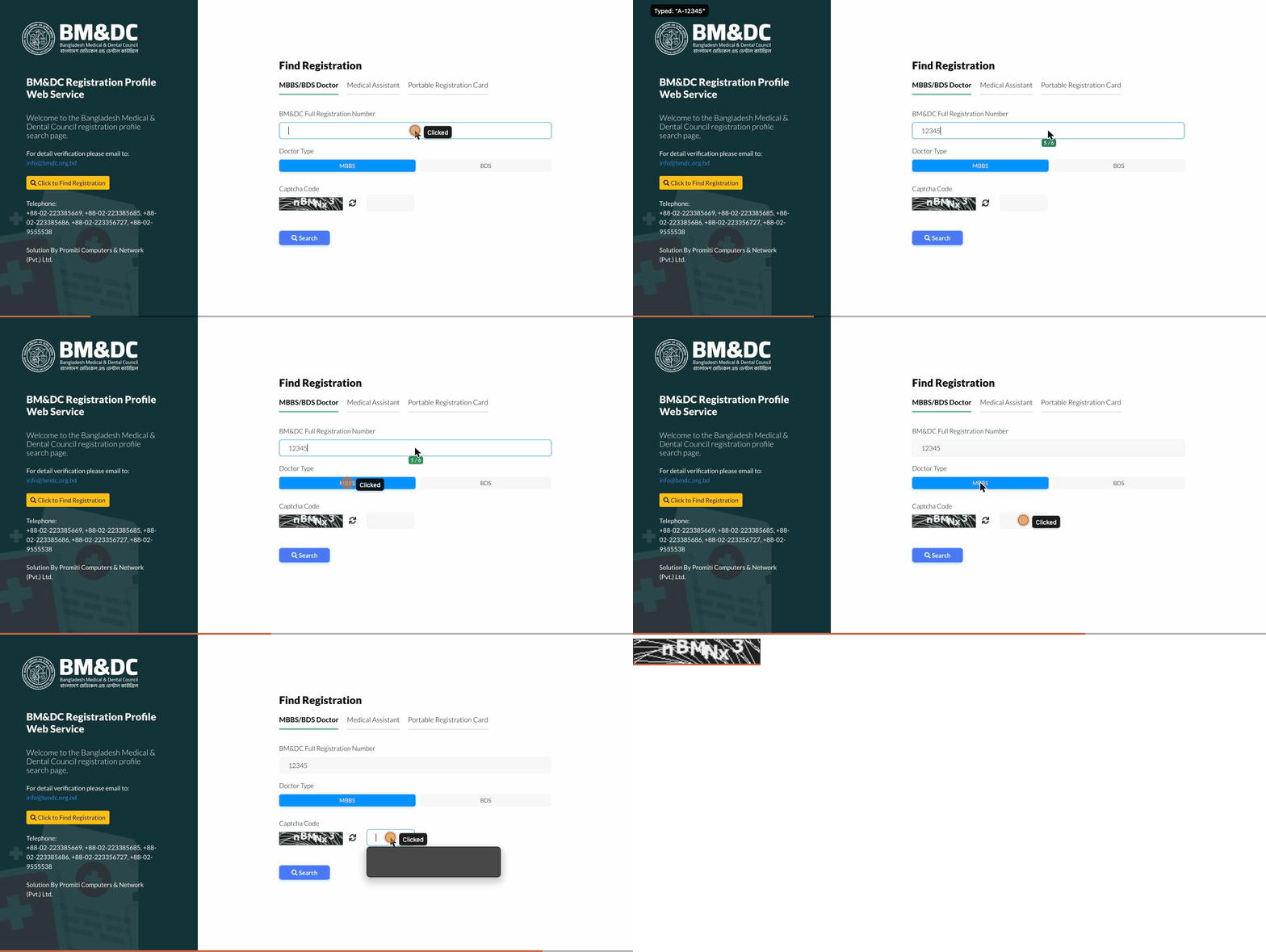
The registration number shown in the demo is a placeholder example, not a real doctor’s.
Go to the official BMDC verification serviceCan't find a matching record?
Double-check the registration number and the doctor type (MBBS/BDS) first — a wrong digit or the wrong type is the most common reason a search comes up empty. A recent registration can also take time to appear online. If it still doesn’t match, contact BMDC directly (info@bmdc.org.bd) to confirm before relying on that practitioner.
Important
MyDocNest is a doctor and hospital discovery directory — not BMDC, and not an official verification authority. Always rely on the official record at bmdc.org.bd for final confirmation.
Now find a doctor
Browse doctors and hospitals on MyDocNest by specialty, city, and chamber.